



Cloud Storage vs Cloud Hosting vs Cloud Services: What’s the Difference?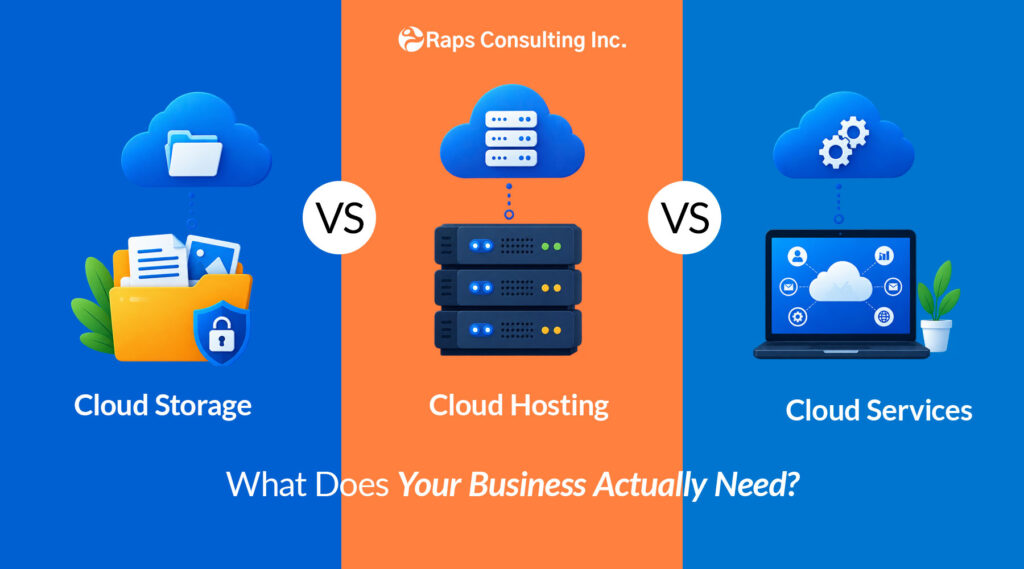
Cloud storage saves your data. Cloud hosting runs your website or application. Cloud services go further—providing computing, databases, networking, security, AI, development platforms, and infrastructure through the cloud.
If your business only needs somewhere to store and share documents, cloud storage may be enough.
If you need to run a website, e-commerce store, or application, you need hosting.
But if you’re migrating business systems, modernizing applications, scaling infrastructure, building AI solutions, or managing complex workloads, you’re probably looking for broader cloud services.
The challenge isn’t simply choosing a provider.
It’s understanding which layer of the cloud your business actually needs.
Cloud Storage vs. Cloud Hosting vs. Cloud Services: Quick Comparison
| Cloud Storage | Cloud Hosting | Cloud Services |
Primary purpose | Store and access data | Run websites and applications | Run and manage IT workloads |
Typical users | Individuals and business teams | Website/app owners and developers | Businesses, developers and IT teams |
Common use cases | Documents, backups, files | Websites, e-commerce, apps | Applications, databases, AI, infrastructure |
Examples | OneDrive, Google Drive, Azure Blob Storage, Amazon S3 | Managed hosting, cloud VMs, app hosting | Azure, AWS, Google Cloud |
Management complexity | Low | Low to medium | Medium to high |
Best when | You need data storage | You need something online and running | Technology is becoming part of your business infrastructure |
The easiest question to start with is:
Are you trying to store something—or run something?
That distinction eliminates much of the confusion.
What Is Cloud Storage?
Cloud storage means storing data on remote infrastructure that can be accessed through a network or the internet rather than keeping everything only on a local computer or physical server.
But businesses should understand that the term cloud storage can describe two different things.
- File Storage and Collaboration
Tools such as:
Google Drive
Microsoft OneDrive
Dropbox
are primarily designed around documents, files, sharing, synchronization, and collaboration.
These solutions work well when your business needs to:
- Share files between employees
- Access documents remotely
- Collaborate on business content
- Reduce dependence on local storage
- Maintain cloud-accessible company files
- Infrastructure-Level Cloud Storage
Cloud platforms also provide storage designed for applications and enterprise workloads.
Examples include:
Amazon S3
Azure Blob Storage
Google Cloud Storage
These services can be used for:
- Application data
- Backups
- Archives
- Large datasets
- Media assets
- Disaster recovery
- Data analytics workloads
AWS, for example, identifies storage alongside compute, networking, databases and other infrastructure resources within cloud computing. (aws.amazon.com)
So, when does a business need cloud storage?
If your primary requirement is:
“We need somewhere secure and accessible to store our data,”
cloud storage may be the right starting point.
But once your requirement becomes:
“We need applications, servers, databases, integrations or infrastructure running in the cloud,”
you’re moving beyond simple cloud storage.
What Is Cloud Hosting?
Cloud hosting uses remote computing infrastructure to run a website, application, database, or another online workload.
Instead of one physical server being responsible for everything, cloud environments can provide flexible computing resources that can be adjusted as requirements change.
For a business, cloud hosting might be used to run:
- A company website
- WordPress
- An e-commerce store
- Customer portals
- Web applications
- APIs
- Internal business systems
- SaaS products
Is Cloud Hosting the Same as Web Hosting?
Not exactly.
Traditional web hosting is designed primarily to make websites available online.
Cloud hosting can provide greater flexibility around computing resources, storage, deployment, scalability, and architecture.
For a basic corporate website, managed hosting may be perfectly adequate.
For a growing business application with integrations, APIs, databases, security requirements, and unpredictable traffic, a more sophisticated cloud environment may make more sense.
A useful rule
Simple website → managed hosting may be enough.
Business-critical application → evaluate cloud infrastructure and architecture.
What Are Cloud Services?
Cloud services is the broader category.
Microsoft defines a cloud provider as delivering computing services such as storage, networking and processing power over the internet, allowing businesses to build, deploy and scale applications without owning the underlying physical hardware. (azure.microsoft.com)
These services can include:
- Compute
- Storage
- Databases
- Networking
- Application hosting
- Development platforms
- Analytics
- AI and machine learning
- Backup and disaster recovery
- Identity and access management
- Cybersecurity
- Integration services
This is why cloud services shouldn’t be treated as another word for Dropbox or web hosting.
It describes a much broader technology ecosystem.
What Are IaaS, PaaS and SaaS?
You’ll frequently see three terms when evaluating cloud services.
Model | What it gives you | Example business use |
IaaS | Infrastructure such as compute, storage and networking | Running custom business applications |
PaaS | A managed platform for developing and deploying applications | Building apps without managing servers |
SaaS | Complete software delivered through the internet | Microsoft 365 or other business applications |
AWS describes IaaS as providing the foundational cloud IT building blocks, while PaaS removes more of the infrastructure-management responsibility and SaaS provides the complete application. (aws.amazon.com)
The difference largely comes down to:
How much do you want your team to manage?
With IaaS, your organization maintains greater control.
With PaaS, more of the underlying infrastructure is managed for you.
With SaaS, you primarily use the finished application.
Which Cloud Solution Does Your Business Need?
Instead of starting with providers, start with the problem.
If your business needs to… | Consider… |
Store and share documents | Cloud storage |
Create remote access to company files | Cloud storage |
Back up business data | Cloud storage / cloud backup |
Host a corporate website | Managed/cloud hosting |
Run an e-commerce website | Cloud hosting |
Deploy a custom web application | Cloud platform/services |
Run business databases | Cloud services |
Build APIs and integrations | Cloud services |
Migrate physical servers | Cloud infrastructure |
Modernize legacy applications | Cloud services |
Implement DevOps and CI/CD | Cloud platform/services |
Build AI or data workloads | Cloud services |
Create disaster-recovery infrastructure | Cloud infrastructure + storage |
Scale enterprise applications | Cloud services |
This is also why many organizations don’t use just one category.
A company might use:
Microsoft OneDrive for employee documents,
cloud hosting for its public website and Microsoft Azure for business applications, databases, integrations and infrastructure.
Those solutions aren’t competing with one another. They solve different problems.
Do You Need AWS, Microsoft Azure or Google Cloud?
AWS, Microsoft Azure and Google Cloud are comprehensive cloud platforms rather than simple hosting products.
There isn’t a universal “best” cloud provider.
The decision should depend on your technology environment and business requirements.
Microsoft Azure
Azure can be particularly relevant for organizations already using Microsoft technologies or looking to connect cloud infrastructure with the wider Microsoft ecosystem.
Azure’s IaaS portfolio spans compute, storage and networking, while its platform also provides application, data, AI and other cloud capabilities. (azure.microsoft.com)
AWS
AWS provides a broad portfolio of infrastructure and cloud services across compute, storage, databases, networking, analytics, applications and other workload categories. (aws.amazon.com)
Google Cloud
Google Cloud provides infrastructure, application development, data, analytics, AI and other cloud services.
Which should your business choose?
Before choosing a platform, evaluate:
Existing technology → Workload → Security → Skills → Integrations → Scalability → Cost
Switching providers later can become complicated.
So architecture should come before vendor selection.
When Does a Business Need More Than Cloud Hosting?
This is where many organizations reach an important transition.
Your first website might only need hosting.
But as the business grows, you may start needing:
- Multiple applications
- APIs and integrations
- Databases
- Automated deployments
- Development and testing environments
- High availability
- Data analytics
- AI services
- Identity management
- Security controls
- Disaster recovery
- Monitoring
- Infrastructure scaling
At that stage, you’re no longer asking:
“Where should we host our website?”
You’re asking:
“How should our technology infrastructure be designed?”
That’s a cloud strategy question.
7 Things to Evaluate Before Choosing a Cloud Solution
- Workload
What are you actually moving or building?
A website, internal application, customer platform, analytics system and AI solution can have very different requirements.
- Scalability
Consider tomorrow’s demand rather than only today’s usage.
Can the environment increase capacity when traffic, data or users grow?
- Security
Determine how identity, access, data protection, network security, backups and monitoring will be handled.
- Availability and Disaster Recovery
Ask what happens when infrastructure fails.
Business-critical applications should have an appropriate continuity and recovery strategy.
- Integration
Your cloud environment usually needs to connect with other systems.
Consider APIs, databases, identity platforms, ERP/CRM tools, third-party applications and legacy systems.
- Cost
Cloud doesn’t automatically mean inexpensive.
Architecture, computing usage, storage, data movement, licensing, support and unused resources can all affect cost.
- Internal Expertise
One of the most overlooked questions is:
Who will design, migrate, secure and manage the environment?
Moving infrastructure to the cloud without the right architecture can simply move existing problems somewhere else.
When Should You Work With a Cloud Services Partner?
You may want external cloud expertise when the requirement moves beyond buying storage space or selecting a hosting plan.
For example, when you’re:
- Migrating applications or infrastructure to the cloud
- Modernizing legacy applications
- Designing an Azure environment
- Scaling business-critical applications
- Implementing DevOps
- Improving cloud security
- Planning backup and disaster recovery
- Connecting multiple applications
- Building cloud-based data or AI solutions
- Trying to understand or optimize cloud architecture
This is where a cloud services partner should bring more value than simply selling infrastructure.
Where RAPS Fits Into Your Cloud Journey
RAPS Consulting works with businesses that have moved beyond the question of “Should we use the cloud?” and need help determining how the cloud should work for their organization.
RAPS currently provides Microsoft-focused cloud capabilities including Azure cloud migration, infrastructure and DevOps, alongside cloud security and broader IT consulting services.
That can include helping businesses move through stages such as:
Assess
Understand current applications, infrastructure and business requirements.
↓
Plan
Define the appropriate cloud approach and migration roadmap.
↓
Migrate
Move suitable workloads from existing infrastructure into cloud environments.
↓
Modernize
Improve applications and architecture rather than simply recreating old infrastructure in the cloud.
↓
Deploy
Build repeatable deployment processes and cloud environments.
↓
Secure
Strengthen identity, access, cloud security and infrastructure controls.
↓
Scale
Adapt the environment as users, workloads and business requirements increase.
The objective isn’t to move everything to the cloud simply because cloud technology exists.
It’s to create an environment that makes sense for the way your business operates.
Frequently Asked Questions
What is the difference between cloud storage and cloud hosting?
Cloud storage is primarily used to store and access data. Cloud hosting provides computing resources that run websites, applications or other online workloads.
A simple way to remember the difference is:
Storage saves something. Hosting runs something.
What is the difference between cloud hosting and cloud services?
Cloud hosting is one use of cloud infrastructure focused on running websites or applications.
Cloud services is the broader category and can include compute, storage, databases, networking, application platforms, analytics, AI, security and other IT resources delivered through the cloud.
Is cloud storage the same as cloud computing?
No.
Cloud storage is one component of cloud computing.
Cloud computing can also provide processing power, networking, databases, development platforms, AI services and other infrastructure.
Does a small business need cloud services?
Not every small business needs complex cloud infrastructure.
A small company using SaaS applications, shared document storage and a managed website may already have everything it needs.
More advanced cloud services become relevant when the company needs custom applications, integrations, databases, infrastructure control, automation, advanced security, analytics or greater scalability.
Is cloud hosting better than traditional hosting?
Not automatically.
For simple websites with predictable requirements, traditional or managed hosting may be sufficient.
Cloud hosting becomes more attractive when flexibility, resource scalability, availability or application architecture requires it.
Can businesses use both cloud storage and cloud hosting?
Yes.
In fact, this is common.
A business can use cloud storage for documents, hosting for its website and a cloud platform such as Azure or AWS for applications and infrastructure.
What are the three main cloud service models?
The three traditional cloud service models are:
IaaS — Infrastructure as a Service
PaaS — Platform as a Service
SaaS — Software as a Service
They primarily differ in how much of the technology stack is managed by the cloud provider versus the customer. (aws.amazon.com)
When should a business consider cloud migration?
Cloud migration may be worth evaluating when existing infrastructure is difficult to scale, aging, costly to maintain, limiting application modernization, or preventing the organization from using newer cloud capabilities effectively.
The decision should be based on workload, cost, security, integration and business requirements—not simply on a desire to “move everything to the cloud.”