


WhatsApp Bot for Business: The Complete Guide to Cost, Types, and How They Work
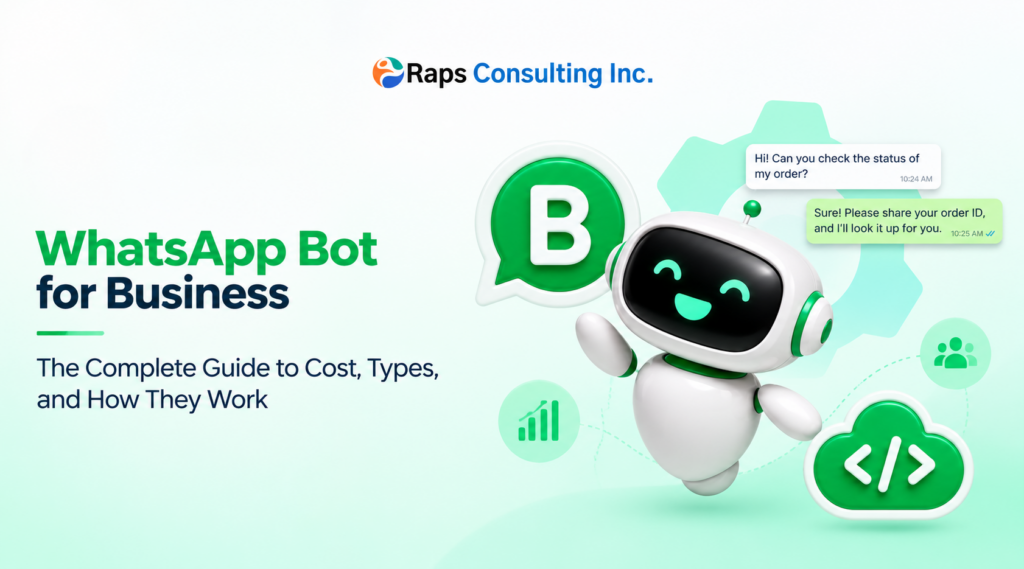
Table of Contents
- What Is a WhatsApp Bot?
- AI-Powered (NLP/LLM) Bots
- What Can a WhatsApp Bot Actually Do?
- How Much Does a WhatsApp Bot Cost?
- Planning Your WhatsApp Bot Budget?
- How to Set Up the WhatsApp Business API
- How to Build a WhatsApp Bot: Some Core Steps
- Frequently Asked Questions
- Is WhatsApp bot development free?
- Do I need coding skills to build a WhatsApp bot?
- Can a WhatsApp bot handle multiple languages?
- How long does it take to launch a WhatsApp bot?
- What’s the difference between a WhatsApp bot and WhatsApp Business App auto-replies?
- Do I need customer consent to message them on WhatsApp?
What Is a WhatsApp Bot?
A WhatsApp bot is an automated messaging system connected to a business WhatsApp number that can receive, understand, and respond to customer messages without a human typing every reply.
It runs on top of the WhatsApp Business Platform (Cloud API), Meta’s official channel for businesses to send and receive messages at scale.
Two things make WhatsApp different from a website chatbot:
- It lives where your customers already are. WhatsApp is used by billions of people monthly, and in most markets it’s the default messaging app — not something people have to remember to open.
- It’s asynchronous by nature. Unlike live chat, a customer can message you, close the app, and come back hours later to a complete answer. This changes how you should design the conversation.
Rule-Based vs. AI-Powered WhatsApp Bots
This is the first real decision point, and it’s the one most businesses get wrong by picking based on price instead of use case.
Rule-Based (Menu-Driven) Bots
These work off a fixed decision tree — the customer taps a button or types a number, and the bot follows a pre-scripted path.
Best for: order tracking, appointment booking, FAQs, routing to the right department, business hours, and store locators.
Strengths: cheap to build, predictable, no training data needed, easy to maintain.
Limitation: when a customer types something outside the script—a typo, a rephrased question, slang—the bot commonly stalls or loops back to “I didn’t understand that.”
AI-Powered (NLP/LLM) Bots
These use natural language understanding to interpret intent regardless of exact phrasing and can hold a more open-ended conversation rather than a menu.
Best for: customer support with varied questions, sales qualification, anything where you can’t predict every way a customer will phrase a request, and multilingual support.
Strengths: handles open-ended input, feels conversational, can pull from a knowledge base or connect to your CRM/order system for personalized answers.
Limitation: costs more to build and run, needs ongoing monitoring so it doesn’t give wrong answers confidently, and generally performs best when scoped to a clear domain rather than “answer anything.”
The practical answer: most businesses land on a hybrid—a rule-based skeleton for structured tasks (menus, buttons, order status) with an AI layer underneath for open-text questions. Pure AI-only bots for high-stakes use cases (billing, healthcare, legal) typically need tight guardrails and human review before they’re safe to rely on unsupervised.
What Can a WhatsApp Bot Actually Do?
| Category | Examples |
| Customer support | Answer FAQs, troubleshoot issues, escalate to a human agent with context intact |
| Sales and lead qualification | Ask qualifying questions, share pricing or catalogues, book demo calls. |
| E-commerce | Product browsing, cart recovery, order status, return requests |
| Appointments and bookings | Slot booking, reminders, rescheduling, no-show follow-ups |
| Notifications | Order confirmations, shipping updates, payment reminders |
| Internal operations | Lead routing to sales reps, ticket creation in your helpdesk tool |
How Much Does a WhatsApp Bot Cost?
Costs break into two separate buckets, and vendors often blur them together to make pricing look cheaper than it is.
We’re deliberately not quoting fixed numbers here—Meta has changed WhatsApp’s pricing structure multiple times in the past two years, and any dollar figure printed in a blog post is close to guaranteed to be wrong by the time you read it.
What’s stable and genuinely useful is understanding what drives the cost—so you can build your own estimate with current rates.
- Development Cost (one-time)—what actually drives the number
| Cost driver | Why it matters |
| Bot type | Rule-based menus are the cheapest to build; AI-powered bots with custom NLU/LLM logic cost more due to prompt design, testing, and ongoing tuning. |
| Number of integrations | Each system you connect—CRM, inventory, payment gateway, helpdesk, scheduling tool—adds scoping, API work, and testing time. |
| Compliance requirements | Regulated industries (finance, healthcare) often need extra logging, review workflows, and data-handling safeguards, which adds build time. |
| Who builds it | No-code platform (fastest, least flexible) vs. freelance developer vs. specialized agency (most flexible, more oversight and support) |
- Ongoing Platform and Messaging Cost (recurring)
Here’s what’s stayed true through Meta’s repeated pricing changes and what you should verify before budgeting:
- Meta bills per message, by category. Since mid-2025, WhatsApp has moved away from charging per 24-hour conversation window to charging per delivered template message, split into categories such as marketing, utility, and authentication—each priced differently, and the rate varies by the recipient’s country.
- Category rules change. What counts as a free “service” reply versus a billable message has shifted more than once recently, and Meta has signaled further changes to how service and AI-agent replies are billed. Don’t assume the free/paid boundary you read about last year still applies.
- BSP markup is separate from Meta’s fee. If you go through a business solution provider (like Twilio, Wati, or similar) instead of Meta’s Cloud API directly, they typically add their own per-message markup or a subscription fee on top of Meta’s base rate.
- Always check Meta’s live pricing page before modeling costs, and ask your BSP for their current markup—not a rate card that might be a year old.
Planning Your WhatsApp Bot Budget?
Use this formula to estimate your monthly WhatsApp messaging cost:
(messages per category) × (Meta’s current rate for that category and country) × (your monthly volume), plus BSP markup.
Compliance and Data Privacy
A WhatsApp bot usually touches personal data—names, phone numbers, order history, and sometimes payment or health information—so this isn’t optional groundwork.
- Know what data your bot handles and where it’s stored. If the bot connects to a CRM or database, map out what personal data flows through it and who has access.
- Follow the data protection law that applies to your customers, not just your own country—for a business messaging customers across regions, this often means accounting for multiple regulatory regimes (for example, GDPR in the EU or India’s DPDP Act), each with different rules on consent, storage, and deletion requests.
- Meta’s own Business Messaging Policy applies on top of local law. It covers what you can message about, opt-in requirements, and prohibited content categories—violations can lead to template rejections or account restrictions independent of local legal exposure.
- Have a data retention and deletion policy for conversation logs, especially if your bot integrates with a data warehouse or analytics tool that stores chat history longer than necessary.
If your business is in a regulated industry, involve legal/compliance review before launch, not after—retrofitting consent and data-handling processes into a live bot is far more disruptive than building them in from the start.
Security Considerations
Worth being precise here, because “WhatsApp is end-to-end encrypted” gets repeated as if it settles every security question—it doesn’t, once a business is on the other end.
- Encryption covers the message in transit; it doesn’t cover what happens after your business receives it. Once a message reaches your business’s systems (your bot backend, CRM, or a BSP’s infrastructure), it’s your responsibility—and your BSP’s—to secure it properly.
- Limit who and what has access to conversation data. Apply the same access-control discipline you’d use for any customer database: role-based access, no shared logins, and audit logs for who viewed what.
- Vet your BSP’s security posture, not just their pricing—ask about data residency, encryption at rest, breach notification process, and whether they’re independently audited (SOC 2 or similar).
- Don’t let the bot collect more than it needs. If a flow doesn’t require payment details or sensitive personal data, don’t route it through the bot—reduce what you’re responsible for protecting in the first place.
How to Set Up the WhatsApp Business API
You generally can’t run bot automation through a personal or basic WhatsApp Business App number at a meaningful scale—to automate reliably, you need access to the WhatsApp Business Platform (Cloud API), which typically involves:
- A Meta Business Account—verified business identity.
- A dedicated business phone number, separate from any existing personal or WhatsApp Business app number.
- Business verification through Meta—the documentation required and processing time can vary noticeably by country and business type, so build in a buffer rather than assuming a fixed timeline.
- A BSP or direct Cloud API access—either build directly on Meta’s Cloud API or go through a solutions provider that simplifies setup, templates, and billing.
- Message template approval—for most business-initiated messages (like reminders or promotions), Meta requires pre-approved templates; some reply types inside an active service window are exempt.
This setup process is often underestimated in project timelines—treat verification and template approval as their own milestone, not something that happens automatically alongside development.
How to Build a WhatsApp Bot: Some Core Steps
- Define the intents—list every distinct thing a customer might want (check order status, book appointment, ask about pricing, talk to a human). Skipping this step is the most common reason bots feel like they “don’t understand anything.”
- Map the conversation flow—entry point, branches, fallback paths, and a clear exit to a human agent when the bot can’t help.
- Choose your architecture—rule-based, AI-powered, or hybrid—based on the use cases above.
- Connect your systems—CRM, inventory, payment gateway, helpdesk—wherever the bot needs live data instead of static answers.
- Get message templates approved—for anything business-initiated (reminders, promotions, updates).
- Build in opt-in and consent logging—don’t treat this as an afterthought; wire it into the flow from day one.
- Test with real phrasing—not just the “happy path.” Try typos, slang, and off-script questions to see where it breaks.
- Launch with a human fallback always visible—customers should always have a clear way to reach a person.
- Monitor and refine—use the measurement framework below to find where conversations break down, and expand from there.
Frequently Asked Questions
Is WhatsApp bot development free?
The bot logic itself can be low-cost if you use a simple no-code tool, but WhatsApp Business Platform messaging isn’t free — Meta charges per message by category, and BSPs may add their own fees on top.
Do I need coding skills to build a WhatsApp bot?
No — many rule-based bots can be built with visual, no-code flow builders. AI-powered bots with custom integrations typically need a developer.
Can a WhatsApp bot handle multiple languages?
Yes. AI-powered bots in particular can detect and respond in a customer’s language, which is valuable for businesses serving multilingual markets — though each additional language adds to build and testing time.
How long does it take to launch a WhatsApp bot?
A simple rule-based bot can often go live within days once business verification is complete. AI-powered bots with custom integrations typically take several weeks, and verification timelines themselves can vary by country.
What’s the difference between a WhatsApp bot and WhatsApp Business App auto-replies?
The free WhatsApp Business App only supports very basic auto-replies and away messages. A true bot — with menus, AI, and integrations — requires the WhatsApp Business Platform (Cloud API).
Do I need customer consent to message them on WhatsApp?
Yes. Business-initiated messages require explicit opt-in — having someone’s phone number alone isn’t sufficient grounds to message them.
Looking to build a WhatsApp bot for your business? Get in touch to talk through what a scoped, realistic build would look like for your use case.